

New option to charge a payment gateway fee
We continue adding new features to our fleet management and boat rental application, Kpitanea. This time, we've introduced the option to charge the end customer a bank fee when they use the payment gateway configured in your control panel.
This means that whether the booking is made directly through your website or via a payment link, Kpitanea allows you to pass your bank's payment processing fees on to the customer.
Where can I configure it?
To enable this option, simply go to the TPV section of the Global Settings screen (under the Settings module):
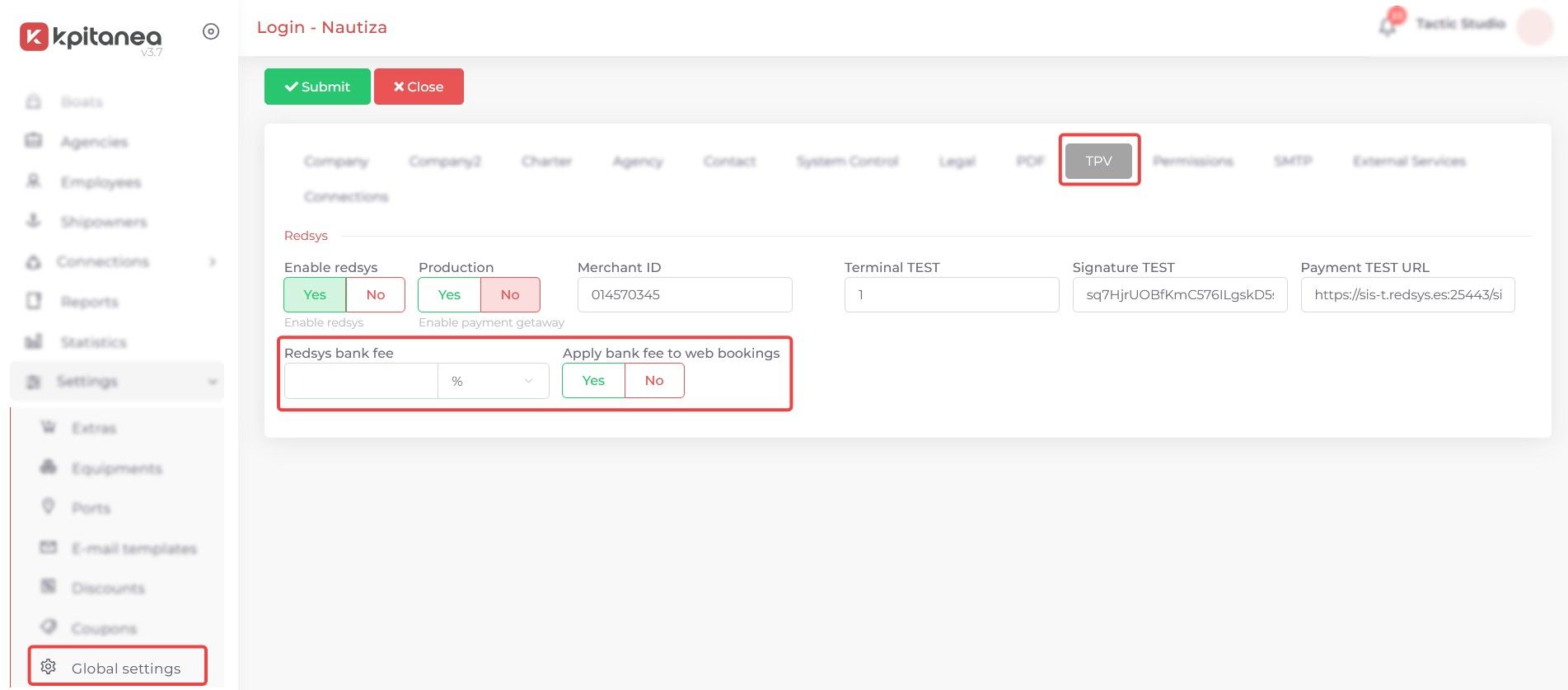
You can set either a percentage of the total booking amount or a fixed fee. In addition, as mentioned above, you can apply the fee to website bookings by enabling the "Apply bank fee to web bookings" option.
If this option is disabled, the fee will only be applied to payments made through payment links sent to customers from Kpitanea.
Can this option be modified for specific charters/bookings?
The answer is yes! When sending a payment link, we've added a new field ("Bank fee") that is automatically pre-filled with the value configured in the TPV section of Global Settings.
If you want to change the amount (or remove it completely), simply edit this field and you're all set!
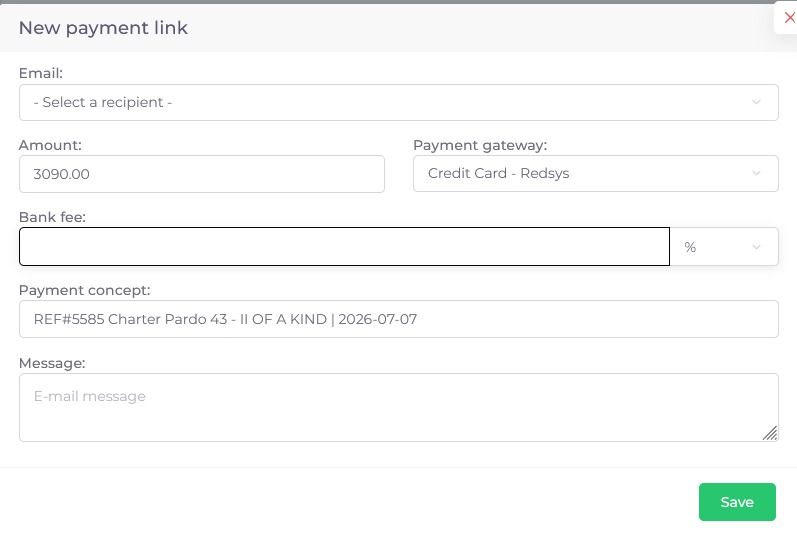
You can remove the fee by clearing the field or setting it to 0.
Please note that to enter decimal values, both in the general settings and in the payment link, you must use a period (".") instead of a comma (",").
And if you're not yet using Kpitanea...
...remember that you can request a free demo to see our application in action.
Simply click this link and schedule a meeting with our support team.
See you next time!