

Kpitanea Boat Gallery Improvements
We're working hard to make Kpitanea the best fleet management and boat rental application. Today we're introducing a new improvement to our dashboard: a brand-new image gallery for your boats.
With this new update, it's now even easier to upload and rearrange your boat's images, whether you're managing the images for your website or for your custom PDF.
Here's a quick demonstration of how image uploads now work in Kpitanea:
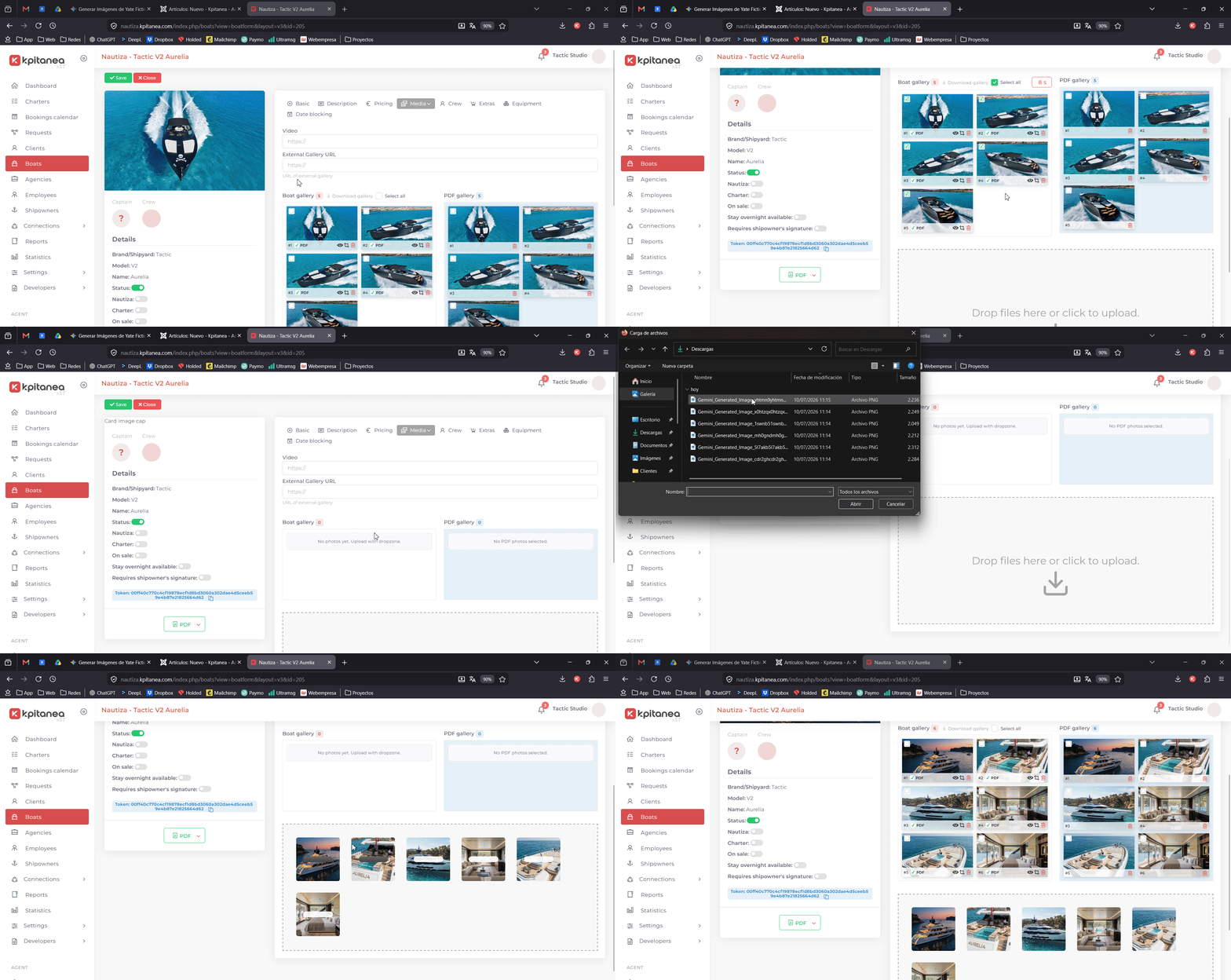
To summarize this new feature, here are some key details:
- You no longer need to click the "Save" button to save changes to your gallery. Changes are now saved automatically in real time.
- To add photos to your PDF, simply check the "PDF" box in the left column or drag the image to the right column. To remove them, uncheck the box or click the trash icon.
- At the moment, only JPEG images (.jpg or .jpeg) are supported.
- All images are uploaded to our CDN to reduce the load on your website and optimize the resources used to generate your PDF.
New image cropping tool
If you work with a large number of images for your boats, you've probably run into a situation like this: you upload all your photos, they look great, but some of them aren't displayed optimally because of the automatic cropping applied by the system.
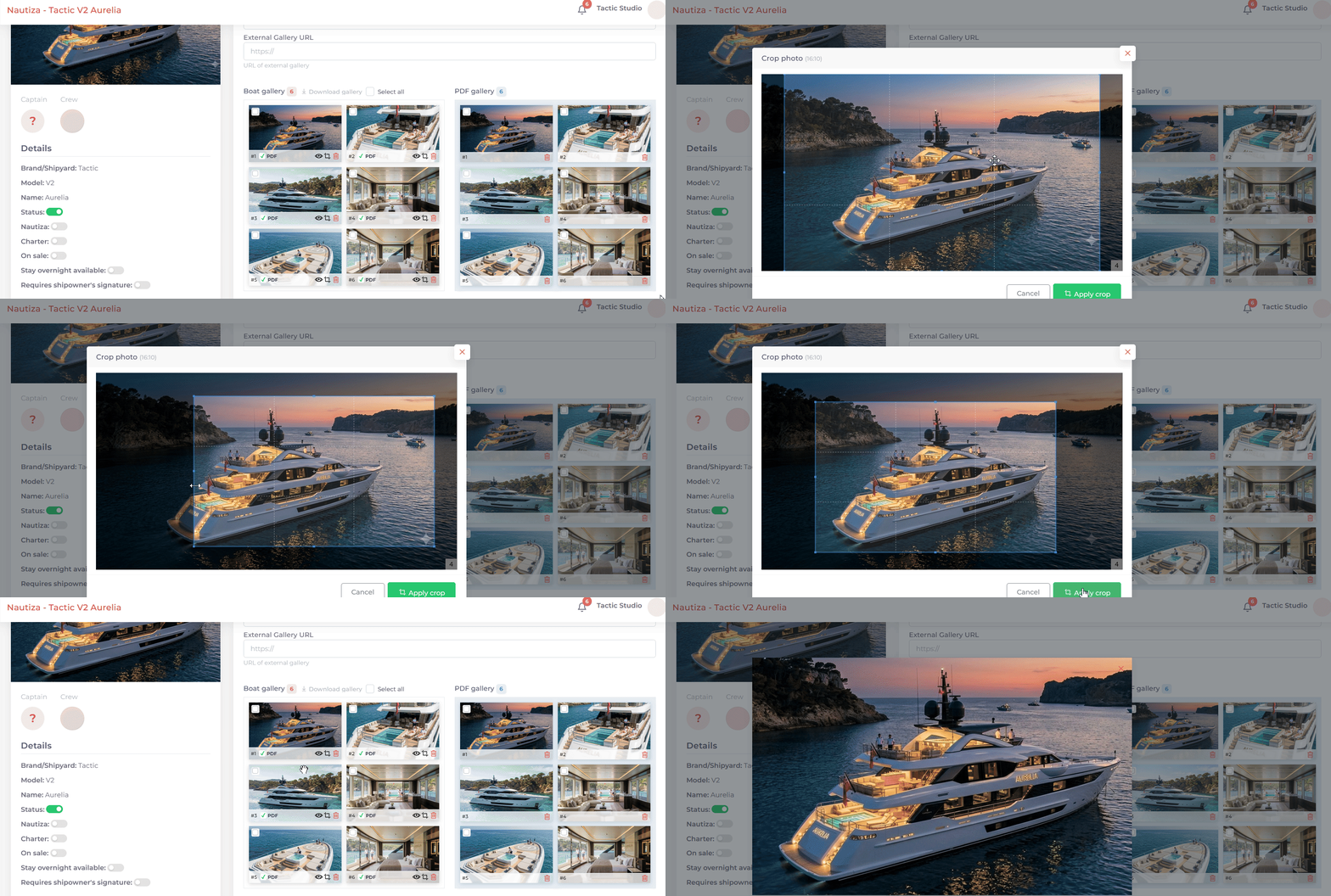
With this new implementation of the Kpitanea gallery, it's now very easy to crop your images directly from your dashboard.
You'll now see three buttons in the bottom-right corner of each thumbnail: view, crop, and delete. Clicking the crop button allows you to create a custom crop quickly and easily:
See you in the next update!